
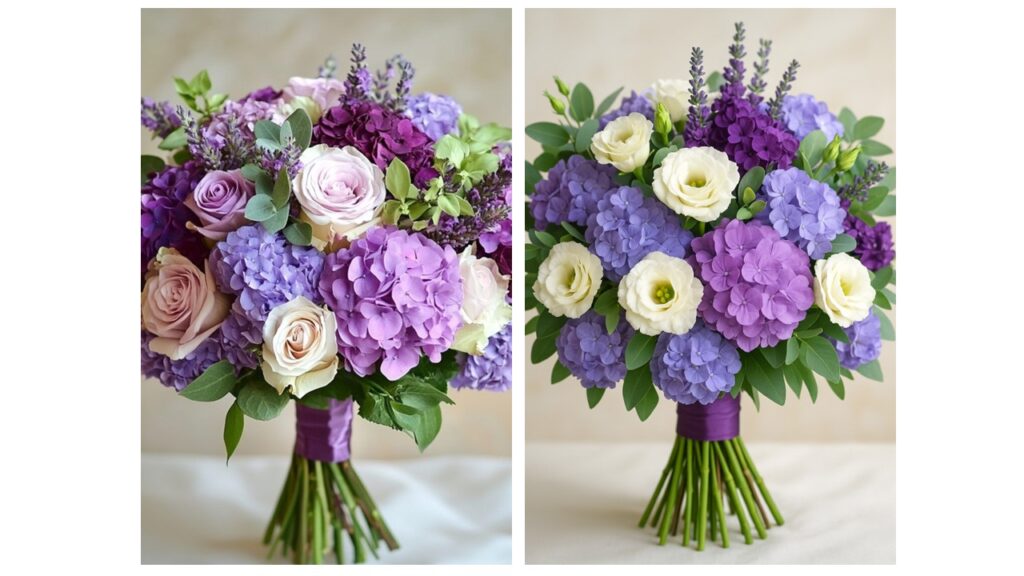
Are you a florist who is ready to tap into AI tools to help you educate and inspire wedding clients or other floral customers? This guide explains how to upload a photo of a floral arrangement and use ChatGPT’s DALL·E’s editing (inpainting) feature to swap out flowers for seasonal substitutions.
Step 1. Open ChatGPT with DALL·E Enabled
Go to ChatGPT.
Make sure you’re using GPT-4 or higher with DALL·E image generation (available only in Plus & Pro plans so you’ll need to have a paid subscription to be able to edit images).
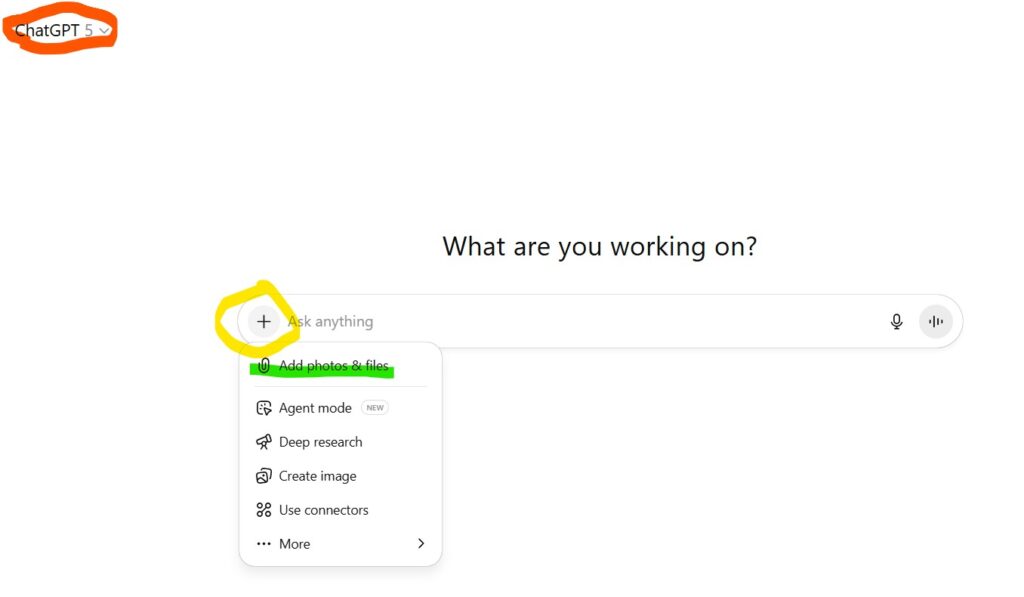
Step 2. Upload Your Photo
Click on the + sign in the prompt box. Then click the image upload button (looks like a small picture or paperclip icon).
Choose a photo of your arrangement — for example, a spring centerpiece with peonies.
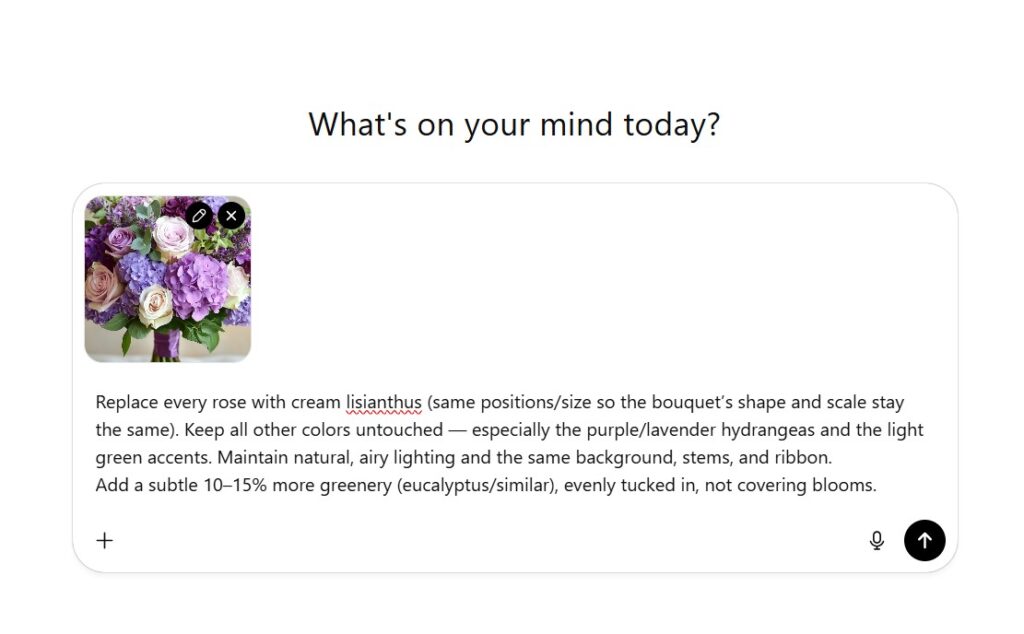
Step 3. Write Your Prompt
Type your instruction in the chat. Be specific:
“Replace the pink peonies with coral dahlias while keeping the same vase, composition, and soft natural lighting.”
Use descriptive words like natural, airy, lush, wildflower style, modern, romantic when prompting, to make the AI-generated flowers align with your design aesthetic.
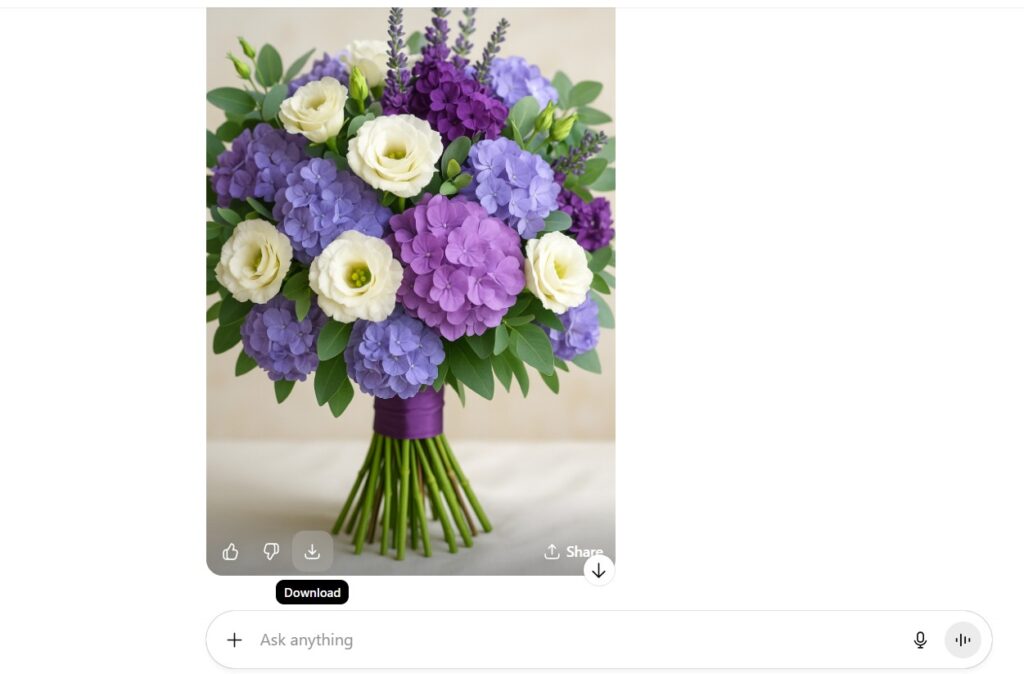
Step 5. Review the Generated Versions
If you don’t love the results, refine your prompt (e.g., adjust flower color, size, or shape).
Step 6. Download and Use
Download the image for use in proposals and seasonal substitution guides. As you can see with this side-by-side below, the AI-generated image is not as “real” as the original inspiration image. While it may be obvious that it is AI-generated, this is still a helpful illustration to use when guiding a client through seasonal, local substitution options.
